Manage Connected QMetry Instances
You can disconnect a QMetry instance, reconnect a previously disconnected instance, or move a JIRA project to a different QMetry instance.
Disconnecting a QMetry Instance
You can disconnect a QMetry instance at any time.
Disconnecting an instance doesnt unlink the JIRA projects that are currently connected to it. To unlink a JIRA project remove its integration from within QMetry. When you reconnect this instance later, previously linked projects shows as connected again.
To disconnect an instance, perform the following steps:
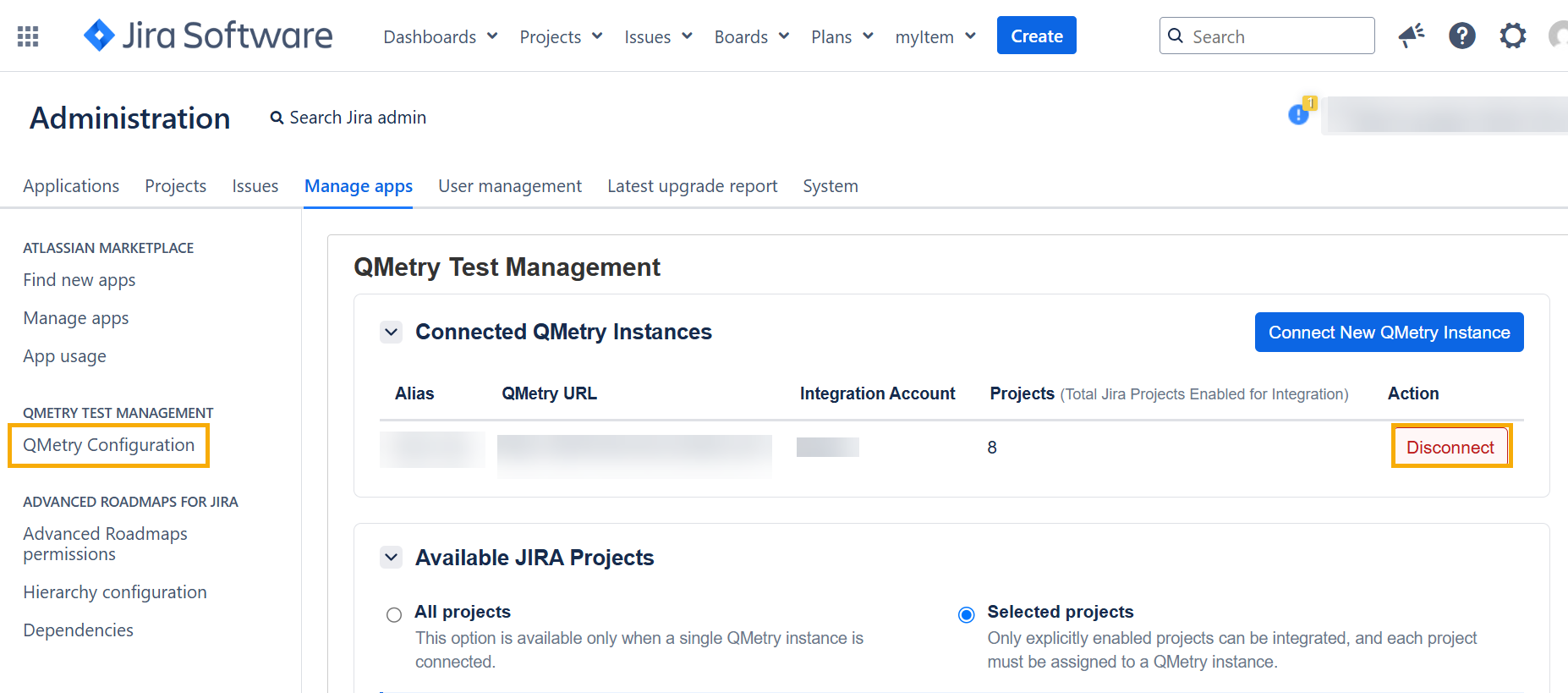 |
In JIRA, go to the administration settings, and select QMetry Configuration.
Go to Connected QMetry Instances, and find the instance that you want to disconnect.
Click Disconnect.
Disconnecting an instance does not unlink the JIRA projects that are currently connected to it. To unlink a JIRA project remove its integration from within QMetry. When you reconnect this instance later, previously linked projects shows as connected again.
After you disconnect an instance:
The instance no longer appears in the list of QMetry integrations.
JIRA projects linked to the instance still show it in the Connected QMetry Instance column.
The app stays in Multiple Instance Mode until only one QMetry instance holds active JIRA project links.
In the JIRA issue panel, JIRA projects linked to the disconnected instance behave like any JIRA project whose QMetry connection is unavailable.
Reconnect a QMetry Instance
If you reconnect a QMetry instance that you disconnected earlier, all JIRA projects that are still linked to it display as connected again.
Move a JIRA Project to a Different QMetry Instance
You cannot reassign a JIRA project directly. This prevents test data from being split or orphaned across QMetry instances. To move a linked JIRA project from one QMetry instance to another, perform the following steps:
In QMetry, on the current instance, remove every QMetry project integration for the JIRA project.
In JIRA, on the QMetry Configuration page, disable the JIRA project.
Enable the JIRA project again and assign it to the new QMetry instance.